


Hi, everyone. How are you?
Over the past few days, we’ve been working full steam ahead to deliver an improvement to our Made4Graph software, and during that time we’ve managed to accomplish a few things we’d like to share with you:
– Real-time data collection for Huawei every 5 seconds
– New data collection for Juniper MX Series routers such as the MX5, MX10, MX40, MX80, and 104
– Traffic Peaks on the historical graph
– API for integration with ERP and other software
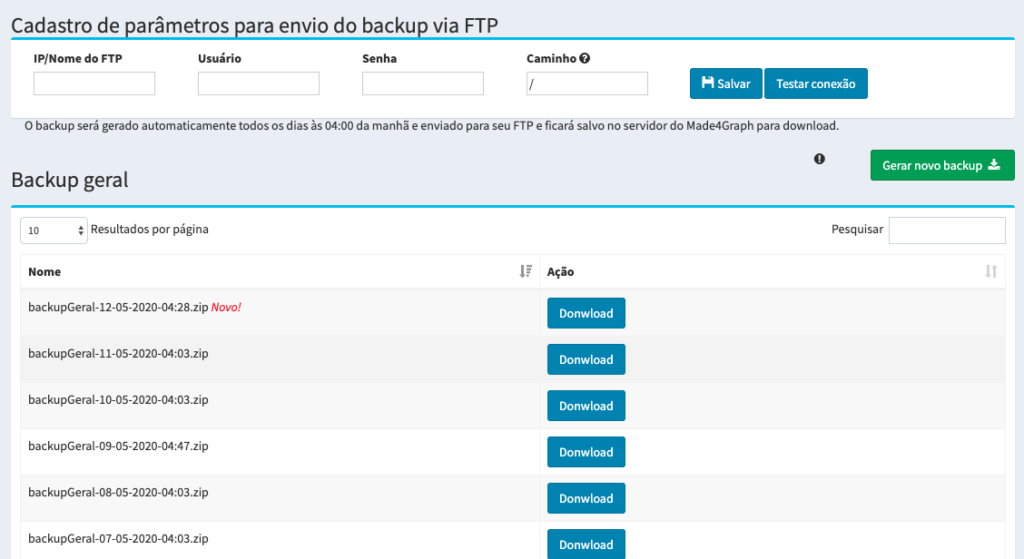
– Backup via FTP or directly from the interface
– Support now for COA Split to send disconnection and bandwidth release requests
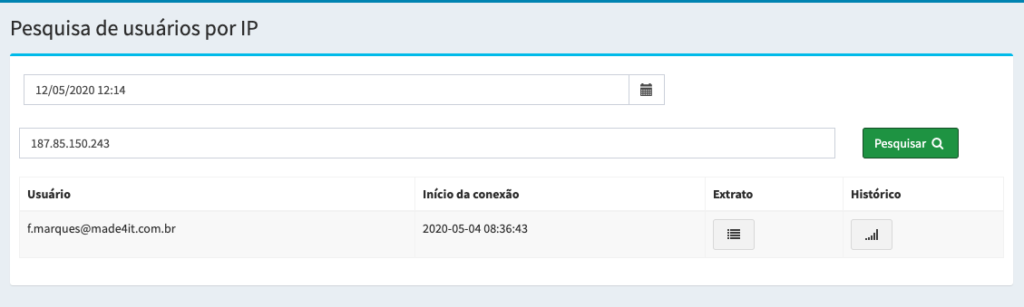
– Reports by IP
– Bug fixes and issue resolutions on the web platform and backend system
Below is a description of each one. Let’s take a look:
– Real-time data collection for Huawei every 5 seconds
Now Huawei routers can collect client bandwidth information every 5 seconds.
This improves the call center experience for your customers.
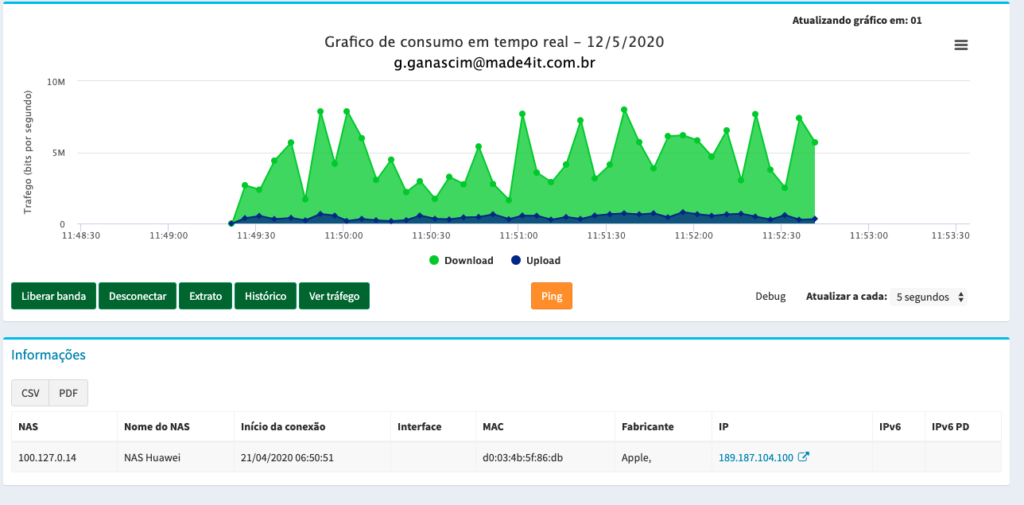
To implement this in your software, please contact us via Skype, email, or phone.
– New collection for Juniper MX Series routers, such as the MX5, MX10, MX40, MX80, and 104
For Juniper MX Series routers, such as the MX5, MX10, MX40, MX80, and MX104, we now have a new data collection method that improves information gathering and reduces the CPU load on these router models.
To implement this, please contact our technical support team via Skype, email, or phone.

– Traffic Peaks in the Historical Chart
With this improvement, you can now view both average traffic and traffic peaks in historical charts.
To access this feature, log in with the desired user account, click “History,” and then click “View Usage Peaks.”


– API for integration with ERP and other software
Now you can use the Made4Graph integration API to integrate it with your management system or any other application you have.
To configure the API, please contact our support team.
– Backup via FTP or Directly from the Interface
You can now save your Made4Graph data to a backup server via FTP, or you can download the software backup directly through the web interface.
To do this, log in to Made4Graph -> Menu -> Settings -> Backups
Backups via FTP are generated at 4 a.m. every day 🙂
– Now supports COA Split for sending disconnection and bandwidth release requests
Some RADIUS and router implementations require that user information be sent without the domain. With COA Split, it is now possible to send this information to the router if your router supports this feature.
To configure this, go to Settings -> Parameters -> and enable the COA Split feature.

– Report by IP Address
Now you can look up IP addresses and find out which customer was using that IP address at that time.
To access this, go to Reports -> Report by IP
– Troubleshooting bugs and issues on the web platform and in the backend system
As part of our software improvements, we have fixed performance issues and bugs in both the web application and the back-end server.
If you have any questions, please contact our support team via Skype, email, or phone.
That’s all the news we have. We’re here to answer any questions you may have 🙂
See you soon
