




DDoS or Distributed Denial of Services, also known as denial of service attack, is a type of cyber attack (if you want to know more check out our article on Cyber Attacks) where the hacker (or attacker/attacker) tries to overload a server, a piece of network equipment such as router, switch, BRAS/BNG, firewall, a computer or a network so that services or their use become unavailable.
Distributed denial-of-service (DDoS) attacks are not intended to steal information from victims, but rather to take down or render a network or service inoperable (think of a service as a web server, a database, or a banking application). A DDoS attack can also serve as a “smokescreen” to hide other attacks that may occur at the same time—attacks that are actually intended to steal information.
Unlike DoS attacks, where only one computer or host is used in the attack, DDoS attacks use thousands or even millions of computers and devices to attack their victims
Plus why would anyone do that?!
Among the various reasons for a DDoS attack, the most common ones over time are:
- Competitors in the same segment
- Money extortion
- Personal problems between directors or employees
- To tarnish another company’s reputation
- Distraction for other attacks
- Ideological or political beliefs
- Fun for some hackers
- Fame or Status for hackers
- For some hackers it is a business to sell DDoS attacks
- And many other reasons that bad-intentioned people may have
But now in 2021 do I need to worry about DDoS?
The answer is: YOU REALLY NEED to be concerned about this. Below are some news stories from around the world:

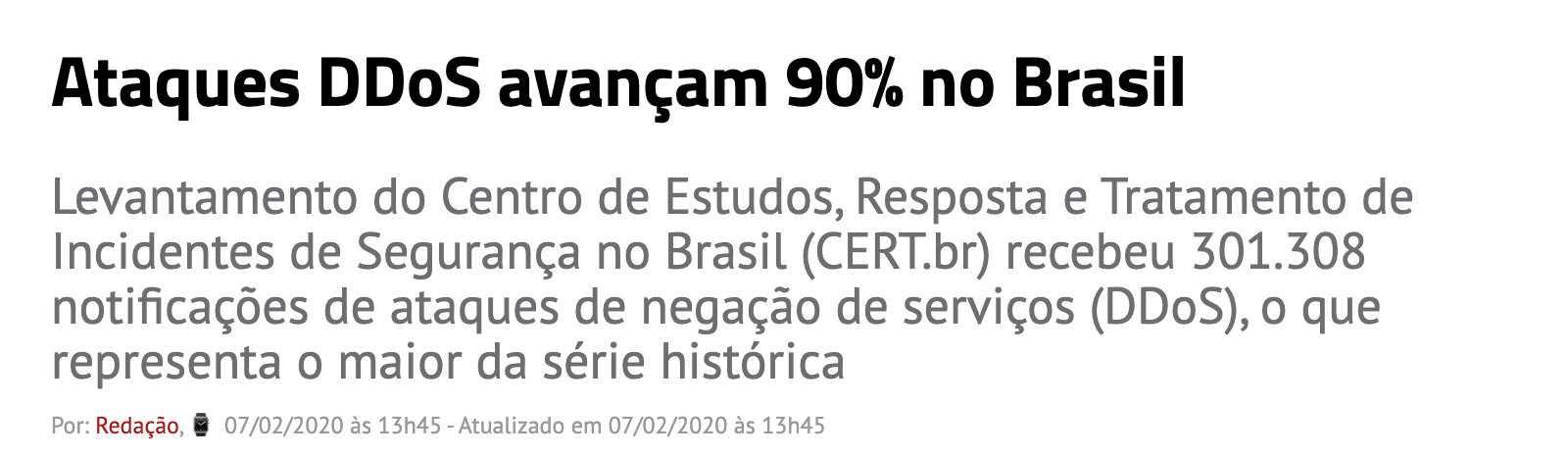
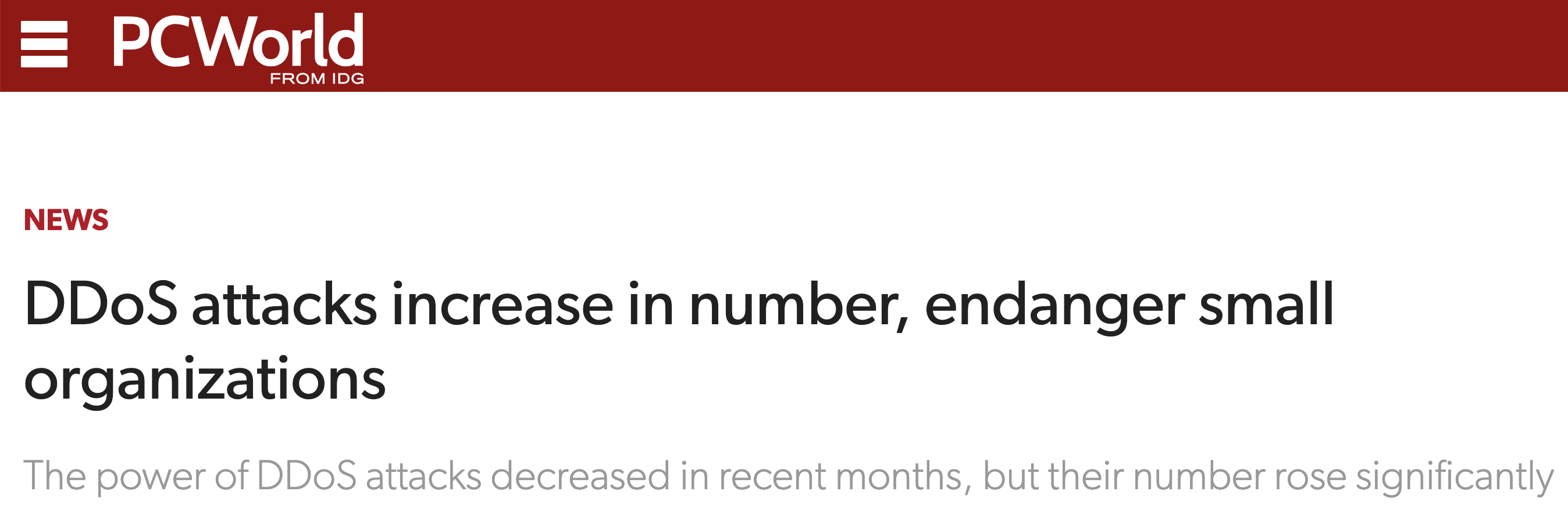

And it is not only big people that take DDoS attacks, like a carrier or a big service company, over the years we have seen many small companies taking DDoS attacks with high volume and many different forms of attack.
A second factor to be concerned about is the cost of launching a DDoS attack; some websites offer “DDoS starting at 5 euros,” so if someone has a little money, they don’t need to be a hacker to launch a DDoS attack against someone.
So if you have a network, it’s important to be concerned about DDoS attacks.
But how does a DDoS attack work?
Here in this article I will explain how it works in a very basic way, if you want to know a little more in depth check out our more detailed article How a DDoS Attack Works.
DDoS attacks usually occur through botnets or zombie networks controlled by hackers. These networks can consist of millions of devices controlled by hackers, who can simply send a command for all these devices to start sending packets to the victim, thereby launching a DDoS attack. Various devices are susceptible to becoming zombies in a botnet, such as: computers infected with viruses, security cameras with vulnerabilities, residential routers (or CPEs) with vulnerabilities, IoT devices, and even your smart refrigerator can be a zombie in a botnet.
The image below demonstrates a little better how a DDoS works:
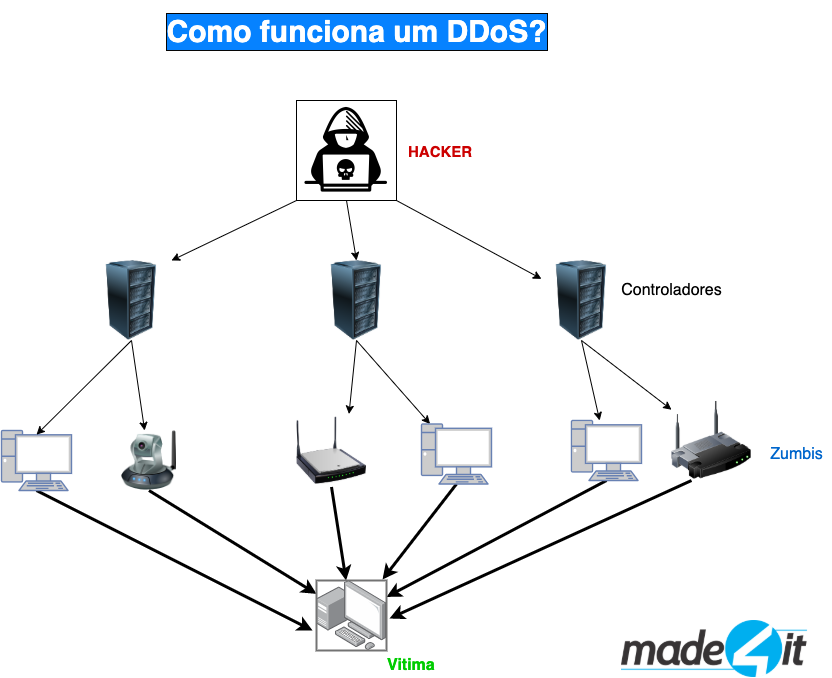
The hacker uses remote servers—referred to as “controllers” in the diagram—to send commands to the “zombies,” which may consist of millions of infected or vulnerable devices, instructing them to send packets (or data) to the victim of the attack, thus generating millions of packets and immense traffic, which creates the DDoS attack and likely overloads the servers and network, disrupting services.
Some attacks have very high amplification factors, such as NTP (123/UDP), which can be amplified up to 556 times; SSDP (1900/UDP), which can be amplified 30 times; and Chargen (19/UDP), which can be amplified up to 358 times. On the cert.br website, you can find a few more protocols that can be amplified through botnets: https://www.cert.br/docs/whitepapers/ddos/
And how can I protect myself?
There’s no magic formula or TOTAL solution against DDoS attacks (well, there actually is one: just leave your computer turned off, lol), but there are some steps you need to take to reduce the chances of someone successfully attacking you. I’ll list a few here:
1 – Do your homework
If your network is completely open, with all ports open to everything on the internet, you have a big problem. But to help reduce attacks, you can:
– Use firewall to control access to equipment management
– Turn off what you don’t use in your backbone and network equipment
– In IPv6 you also need to protect yourself
– Block Spoofing with uRPF or firewall
– Validate the configuration of your servers and network equipment
– Take care of your Customers’ equipment such as: CPE/Routers and smaller last-mile equipment. Blocking access to their management is a good way
2 – Create your protection structure
Unfortunately attacks will occur even if you do your homework, so preparing for the “bad” day is key. Creating a protective framework is important to note several points and anticipate what attacks will change.
But how to protect yourself?
In this article, we’ll cover two methods:
1) Blackhole BGP
Using RTBH (Remote Triggered Black Hole), you can announce a route via BGP that will be blackholed (discarded). With this feature, packets destined for that IP address will be discarded, and through BGP, you can instruct your upstream providers to do the same until the IP address stops functioning on the entire internet.
One of the limiting factors is that the IP address advertised in the blackhole stops working, and a second limiting factor is the maximum number of IP addresses in the blackhole; most carriers limit this to a few routes in the BGP session, if you announce more than the limit, the BGP session will go down and your traffic will use other paths.
If the attack changes and begins targeting multiple IP addresses on your network, you will need to use the Scrubbing Center/Mitigation to block the attacks.
2) Scrubbing Center/Mitigation Unlike Blackhole.
The Scrubbing Center, or Mitigation—which some still refer to as Cloud AntiDDoS, Protected Traffic, and a few other variations—is a traffic scrubbing center. When you’re under attack, instead of sending a blackhole response as mentioned above, you can route your traffic to the scrubbing center, which will filter out the attack—literally separating the “wheat from the chaff,” where the chaff represents attack packets and the wheat represents clean traffic. Scrubbing centers are generally purchased based on Clean-Pipe capacity or clean traffic.
Scrubbing centers can be contracted during attacks, but since we’re talking about planning, it’s very important to evaluate their characteristics, points of presence, and latency.
It’s normal for latency to increase or for you to have trouble accessing certain websites when traffic is being throttled.
Most importantly, you need to automate this!
Neither the blackhole nor the scrubbing center will be triggered automatically, so you’ll need to intervene manually; however, as human beings, network administrators won’t be online 100% of the time, monitoring graphs or network traffic.
To ensure this isn’t a problem for you, there are solutions that allow you to automate the detection of attacks as well as the necessary actions, such as blackholing and sending traffic to the scrubbing center—and the best of these is Made4Flow.
With it, you can configure the system to detect attacks and take the necessary actions right away, and you’ll even be notified if an attack occurs—and our solution will already be protecting you—all in less than 2 minutes!
If you’re under attack or being attacked, contact us—we can help you!
In upcoming posts, we’ll provide more details about DDoS attacks, how they work in practice, how to configure BGP blackhole sessions for a scrubbing center, and much more!
If you want to know a little more about attacks too, we did a live broadcast almost 2 hours long giving many tips and showing how attacks work, click on the link to see it!
And also follow us on social networks to learn more about Made4it and Made4Flow
